
Agent Implementation
AI Agents for Business: What They Can Do and How to Deploy Them Responsibly
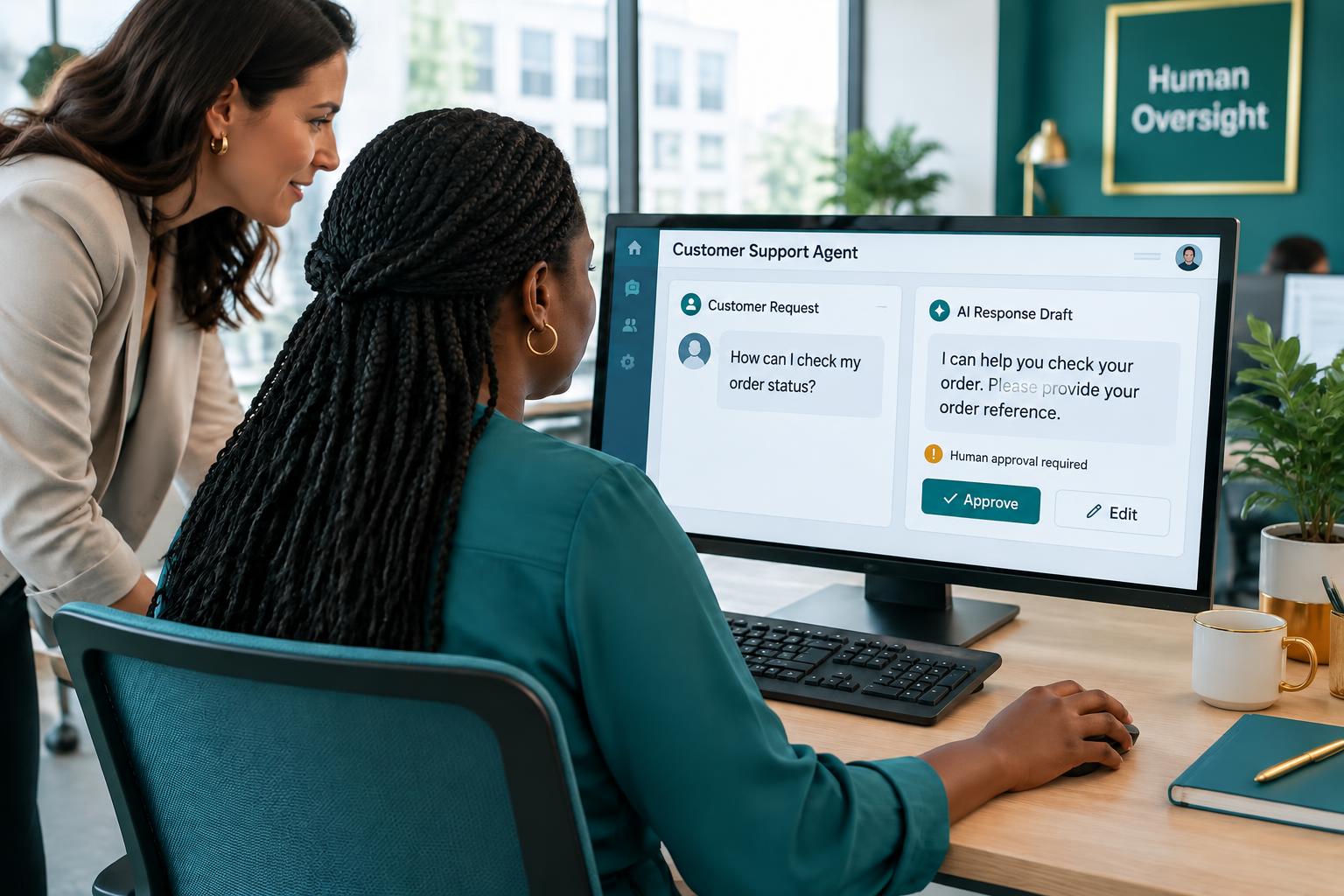
AI agents are becoming an important part of how businesses approach automation. Unlike systems that simply execute a fixed sequence of instructions, an AI agent can interpret information, determine an appropriate next step, and use connected tools to carry out permitted actions.
For businesses, this creates opportunities to automate work that previously required employees to read information, make routine assessments, and coordinate actions across multiple systems.
An AI agent is a software system that uses artificial intelligence to work toward a defined goal by interpreting context, selecting permitted actions, and interacting with connected tools or systems.
However, an AI agent should not be treated as an unrestricted digital employee. Its responsibilities, access permissions, decision boundaries, and escalation rules need to be designed around the business process it supports.
What Makes an AI Agent Different From a Basic AI Assistant?
A basic AI assistant typically responds to instructions or questions. It may generate text, explain information, or help a user complete a task.
An AI agent can be designed to perform a sequence of actions toward a specific objective.
For example, consider an incoming customer request.
A basic AI assistant might explain how to respond to the request.
An AI agent connected to approved business systems could:
- Read the incoming request.
- Identify the customer's issue.
- Retrieve relevant information from an approved knowledge source.
- Check the customer's account through an authorised system.
- Prepare an appropriate response.
- Send the response if the action is permitted.
- Escalate the request if it falls outside its defined boundaries.
The key difference is not simply that one uses AI and the other does not. It is the ability to connect AI reasoning to controlled actions in a business environment.
Not every system described as an AI agent has the same level of autonomy. Some operate within tightly controlled workflows, while others may be given more flexibility to select tools and determine intermediate steps.
Where Can Businesses Use AI Agents?
AI agents can support different business functions. Their suitability depends on the task, available information, required integrations, and consequences of errors.
1. Customer Support
Customer support is a practical application because many enquiries involve recurring questions, account information, and predictable resolution paths.
An AI support agent can be designed to:
- Understand incoming customer messages.
- Identify the type of issue.
- Retrieve relevant information from a knowledge base.
- Check approved customer or order records.
- Provide answers to routine questions.
- Create or update support tickets.
- Escalate cases that require a human agent.
For example, an e-commerce support agent could answer questions about order status by retrieving information from the company's order management system.
However, it should not invent delivery information or claim to have completed an action that the connected system did not confirm.
Complex complaints, unusual payment issues, and requests requiring discretionary decisions may need human involvement.
2. Sales and Lead Management
Sales teams often spend significant time reviewing incoming enquiries, qualifying prospects, updating CRM records, and following up.
An AI agent can support these activities by:
- Reading information submitted through lead forms.
- Extracting relevant company and contact details.
- Assessing leads against defined qualification criteria.
- Enriching records using approved data sources.
- Updating the CRM.
- Preparing personalised follow-up messages.
- Notifying sales representatives about qualified opportunities.
The agent can help prioritise leads and reduce administrative work, but qualification criteria should be transparent and appropriate for the business.
Important sales decisions, negotiations, and commitments should remain under the control of authorised people.
3. Document Processing
Many organisations receive information through invoices, application forms, contracts, reports, and other documents.
An AI agent can help interpret these documents and coordinate the next steps.
For example, a document-processing agent could:
- Receive an uploaded document.
- Identify the document type.
- Extract relevant fields.
- Check whether required information is present.
- Compare selected information against business records.
- Route incomplete or unusual documents for review.
- Send validated information to the appropriate system.
This can reduce manual handling, particularly when documents arrive in different layouts or formats.
However, extracted information should be validated before being used for sensitive financial, legal, or operational decisions.
4. Internal Operations
AI agents can also support employees who need information from multiple business systems.
An internal agent might help staff:
- Find information in company documents.
- Summarise internal reports.
- Retrieve information from approved databases.
- Prepare operational updates.
- Create tasks or requests.
- Route approvals to the appropriate people.
For example, an operations employee could request a summary of outstanding tasks across several projects. An agent with the necessary permissions could retrieve the relevant records and prepare a consolidated summary.
The usefulness of this type of agent depends heavily on the quality of the underlying data and the permissions governing access to it.
What Does an AI Agent Need to Work Inside a Business?
An AI model alone is not a complete business agent.
A useful implementation typically combines several components.
1. A Clearly Defined Objective
The agent needs a specific responsibility.
For example, "help the sales department" is too broad.
"Review new inbound enquiries, classify them using the company's qualification criteria, update the CRM, and notify the appropriate salesperson" is a more actionable objective.
2. Relevant Business Information
The agent needs access to the information required to perform its assigned task.
This may include:
- Company policies.
- Product documentation.
- Customer records.
- CRM information.
- Internal databases.
- Knowledge bases.
- Operational documents.
Access should be limited to the information required for the task.
3. Connected Tools and Systems
An agent may need to interact with existing applications to perform useful work.
Depending on its responsibilities, these may include:
- CRM systems.
- Helpdesk platforms.
- Email services.
- Databases.
- Document storage.
- Internal applications.
- Scheduling systems.
The available integration options depend on each application's API, permissions, and technical capabilities.
4. Rules and Permissions
An agent should have clearly defined boundaries.
For example, a customer support agent might be allowed to retrieve order information and draft responses but not issue refunds above a defined amount.
A sales agent might update lead records but require approval before sending certain types of communication.
Permissions should be designed around the business risk of each action.
5. Human Review and Escalation
Not every situation should be handled automatically.
A well-designed agent needs to recognise when it lacks sufficient information, when a request falls outside its responsibilities, or when a decision requires human approval.
Human review is especially important when actions involve money, contractual commitments, personal information, or significant customer consequences.
How to Deploy an AI Agent in Your Business
A business should not begin by connecting an AI model to every available application.
Start with a specific responsibility and build the necessary controls around it.
Step 1: Select a Bounded Business Task
Identify one process where an agent can provide clear value.
Define the task, the expected output, and the people who are responsible for the process.
Avoid giving an agent broad responsibilities before its capabilities have been tested.
Step 2: Map the Existing Process
Document how the process currently works.
Identify the information required, systems involved, decision points, exceptions, and people responsible for approvals.
This helps determine which steps can be automated and which need human involvement.
Step 3: Define the Agent's Permissions
List exactly what the agent can and cannot do.
Separate actions into categories such as:
- Read information.
- Draft or prepare information.
- Update business records.
- Send communications.
- Trigger transactions or other consequential actions.
More sensitive actions should have stronger approval requirements.
Step 4: Connect the Necessary Systems
Integrate only the systems the agent needs.
For example, a lead management agent might need access to a website form, a CRM, an approved company data source, and an email service.
Unnecessary integrations increase complexity and may introduce additional security risks.
Step 5: Test Realistic Scenarios
Test the agent with more than simple, successful examples.
Include cases involving:
- Missing information.
- Conflicting records.
- Unusual requests.
- Invalid inputs.
- Unavailable systems.
- Requests outside the agent's responsibilities.
Determine whether it can identify uncertainty and escalate appropriately.
Step 6: Monitor Performance After Deployment
Deployment is not the end of implementation.
Monitor relevant outcomes such as:
- Task completion rates.
- Accuracy of extracted or classified information.
- Escalation frequency.
- Failed actions.
- Human correction rates.
- Processing time.
- Customer or employee feedback.
Use these findings to refine instructions, integrations, rules, and review processes.
Common Mistakes When Implementing AI Agents
Giving an Agent Too Much Responsibility
An agent with broad access and unclear responsibilities can create unnecessary operational risk. Start with a narrow task and expand its responsibilities only after testing.
Allowing AI to Make Every Decision
Some decisions should remain with employees, especially those involving financial commitments, legal obligations, sensitive information, or exceptions to company policy.
Connecting Systems Without Considering Permissions
Access to a business application should not automatically mean access to every record or action within it. Apply appropriate permissions and review access regularly.
Testing Only Ideal Scenarios
A demonstration may work perfectly with carefully prepared inputs while failing when exposed to incomplete information or unusual requests. Realistic testing is essential.
Failing to Monitor the Agent
Business processes, policies, software, and customer requirements change. An agent that worked during testing may need adjustments as its operating environment evolves.
Frequently Asked Questions
What is an AI agent in business?
An AI agent in business is a software system that uses AI to interpret information, make decisions within defined boundaries, and interact with connected business tools to complete assigned tasks.
Can AI agents replace employees?
AI agents can automate selected tasks and reduce administrative workload, but they do not automatically replace the broader responsibilities of employees. Human judgment, accountability, customer relationships, and exception handling remain important.
Can an AI agent access a company's CRM?
Yes, provided the CRM supports an appropriate integration and the agent has been granted the necessary permissions. Access should be restricted to the records and actions required for its assigned responsibilities.
Are AI agents suitable for small businesses?
They can be, particularly where a business has recurring processes that consume significant time. The implementation should be proportionate to the task, available budget, operational complexity, and expected value.
Do AI agents need human supervision?
The required level of supervision depends on the actions they perform and the consequences of mistakes. Agents handling low-risk tasks may operate with routine monitoring, while those involved in sensitive or consequential activities need stronger review and approval controls.
To compare the tools that can support a controlled agent implementation, read AI Automation Tools.
Final Thoughts
AI agents can help businesses move beyond isolated automated tasks and coordinate more complex processes involving information, decisions, and connected software.
However, their value depends on how well they are designed around actual business responsibilities.
A useful AI agent needs a clear objective, reliable information, appropriate integrations, controlled permissions, and a way to escalate situations it cannot handle safely.
At EasyMarketPro, we design and implement custom AI agents around business operations, connecting them to existing tools and defining the controls needed for practical deployment.
Discuss your workflow with EasyMarketPro to explore where an AI agent could support your operations.
Book a Discovery Call